



Instant replay
Save recent gameplay without leaving your game.

↙
Moment saved30 sec · Local library
✓Open sourceLinux native
Save the action, trim the highlights, track performance.
curl --proto '=https' --tlsv1.2 -fsSL https://redunar.com/install.sh | shX11 & Wayland support
x86_64 Linux · Native Steam
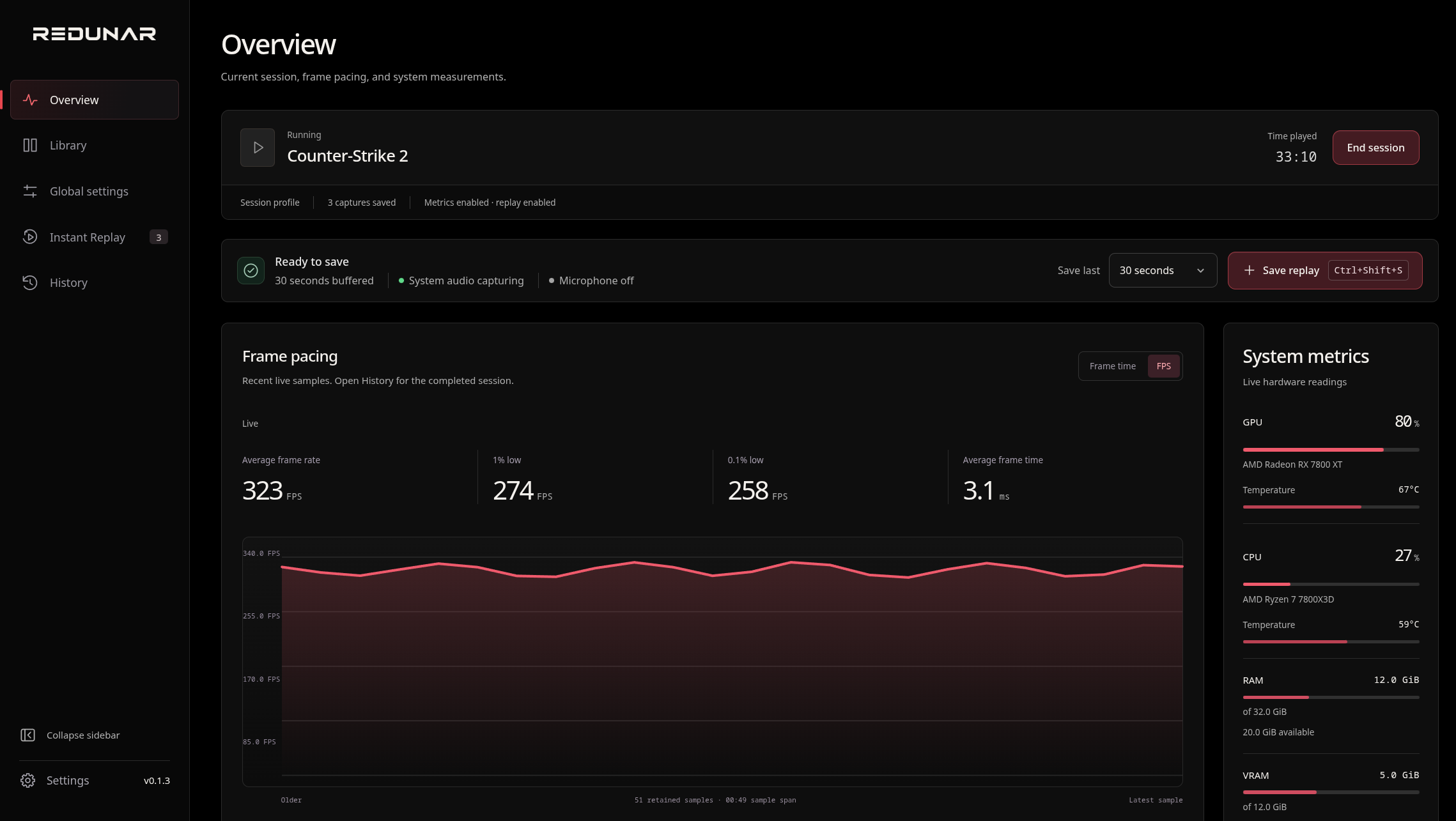
A closer look at your gaming workspace.
Save recent gameplay without leaving your game.
Trim a saved clip and export a new copy. The original stays untouched.




Analysing clip
Review frame pacing, temperatures, and load across a session.
Global defaults. Per-game overlay and frame metrics.
Make the overlay yours. Customize its colors, layout, and details to match your style.

Choose Custom to change individual metrics.
Replay, clip trimming, and in-game metrics in popular Linux tools.
| Linux tool | Open source | Instant replay | Clip trimming | In-game metrics |
|---|---|---|---|---|
| Redunar | Yes | Built in | Built in | Built in |
| MangoHud | Yes | Not documented as built in | Not documented as built in | Built in |
| OBS Studio | Yes | Built in | Not documented as built in | Not documented as built in |
| GPU Screen Recorder | Yes | Built in | Not documented as built in | Not documented as built in |
| Steam | No | Background recording | Built in | Platform dependent |
Open source
Explore how replay and metrics work under the hood. Read the source code and follow development.
Bug reports and feature requests are welcome.
Explore on GitHub
fn summarize(intervals_ns: &[u64]) -> Option<CaptureFrameMetrics> {
let newest = *intervals_ns.last()?;
let mut slowest_first = intervals_ns.to_vec();
slowest_first.sort_unstable_by(|left, right| right.cmp(left));
Some(CaptureFrameMetrics {
average_fps: fps_from_intervals(intervals_ns),
one_percent_low_fps: slowest_fps(&slowest_first, 100),
point_one_percent_low_fps: slowest_fps(&slowest_first, 1_000),
newest_frame_time_ms: Duration::from_nanos(newest).as_secs_f64() * 1_000.0,
})
}
Support continued development on Ko-fi.
Free to use. Open source.
Supported hardware, drivers, and system requirements.